How I set my homelab: five nodes, five jobs
People picture a homelab as one big server humming in a closet. Mine is five small ones, each with a different job. This post walks through what they are, why I split them up, and the hardware inside.
Why five nodes and not one big box
One server is simpler. It’s also one power supply, one motherboard and one reboot away from everything being offline at once. Including the internet, if the firewall runs on it. Including the lights, if Home Assistant runs on it. I’ve been there. The family was not impressed.
So I split by job:
| Node | Job | Where |
|---|---|---|
| pve-worldstream | Compute, production workloads | Datacenter |
| pve-anton | Compute, homelab workloads | Home |
| pve-fw | Firewall, runs OPNsense | Home |
| pve-hassio | Home Assistant and DNS | Home |
| pve-storage | Storage, runs TrueNAS and DNS | Home |
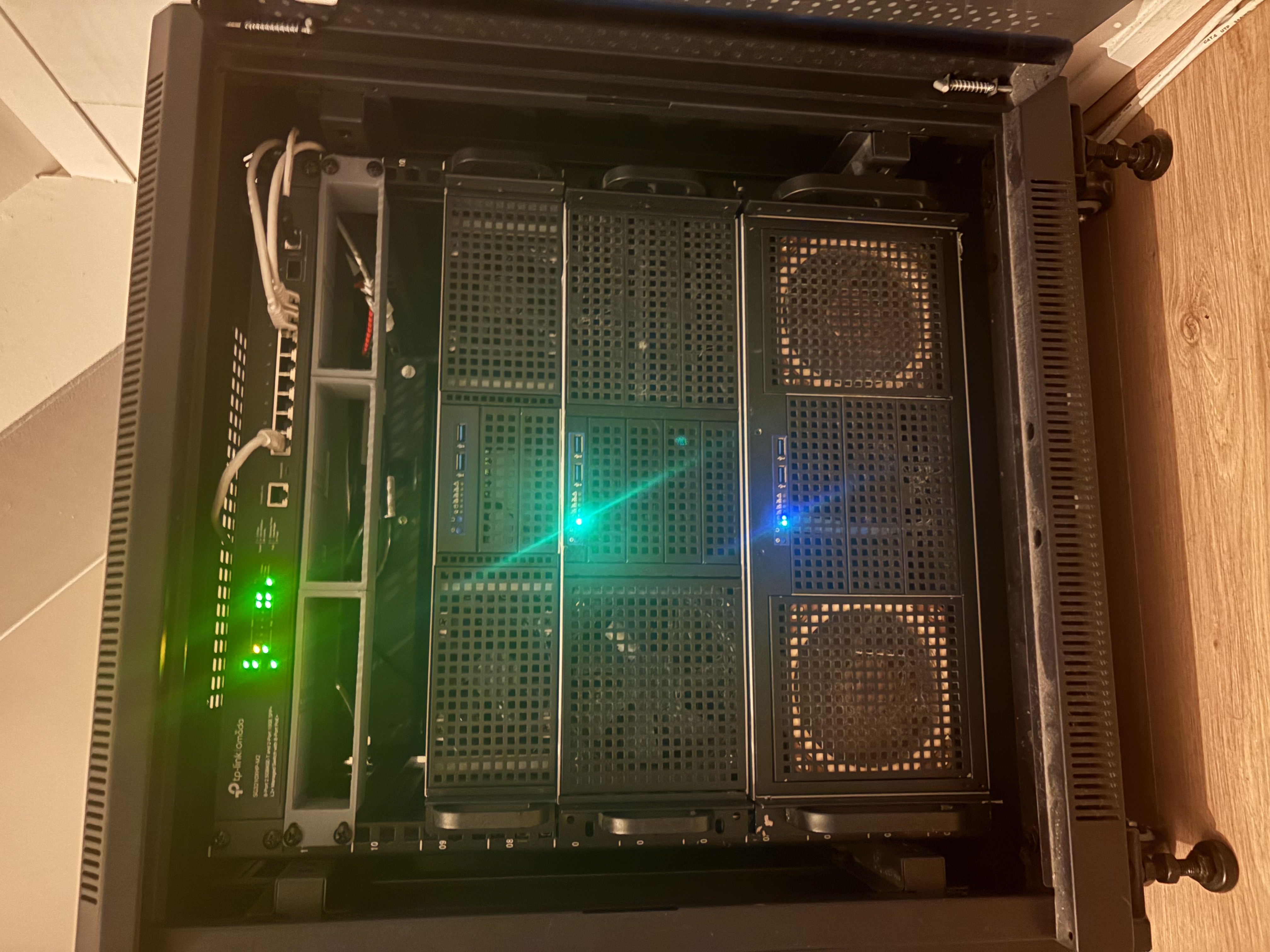
Proxmox VE is a hypervisor based on Debian. You install it on the bare metal and it gives you a web interface to create virtual machines and containers. It’s free, it’s the best option I know for a homelab, and it has been rock solid for me. The Proxmox VE documentation covers everything below in more depth.
A reboot of a compute node now takes down some VMs. It doesn’t take down the internet, the DNS, or the lights. That was the whole goal.
The compute nodes
These two do the actual work: Kubernetes, databases, this website, and whatever I’m experimenting with this month.
pve-worldstream, the big one
This node doesn’t live at home. It sits in a rack at a datacenter, on a 10 Gbit uplink, for the things that should stay up when my home internet doesn’t.
- CPU: AMD EPYC 7402P, 24 cores and 48 threads on one socket
- RAM: 256 GB DDR4 3200
- Storage: two 1 TB NVMe drives in RAID 1 for the OS and some VMs, plus a 4 TB NVMe PCIe card for VM storage
The RAID 1 pair means one drive can die and the node keeps running. The 4 TB card is where most VM disks live. A single fast drive is plenty for a homelab, and a lot cheaper than a proper SAN.
pve-anton, the one at home
- CPU: AMD Ryzen 5 4600G, 6 cores and 12 threads
- RAM: 128 GB DDR4 3200
- Storage: 1 TB NVMe for OS and VMs
A desktop CPU with a lot of memory. For virtual machines, RAM runs out long before CPU does, so this is a nice balance. The G in the name means it has built-in graphics, which saves a slot and some power.
The firewall: pve-fw
- CPU: Intel Core i3-N305, 8 cores
- RAM: 16 GB DDR5 4800
- Storage: 500 GB NVMe
This node runs one thing: an OPNsense VM. OPNsense is an open source firewall and router. It does the routing between my networks, the firewall rules, and the VPN. The OPNsense docs are the place to start if you want to run it yourself.
Why a whole node for one VM? Because the firewall is the one thing that must keep working while I break everything else. Putting it on its own hardware means I can reboot, reinstall or unplug a compute node and nobody in the house notices.
The N305 is a small, efficient chip. It uses little power, and it has more than enough speed to route a home connection with all the firewall features on.
The house: pve-hassio
- CPU: Intel Celeron N3450, 4 cores
- RAM: 4 GB LPDDR4
- Storage: 128 GB NVMe
The smallest node, and the one with the most impatient users. It runs Home Assistant, the open source smart home platform, plus a DNS server for the network.
Same reasoning as the firewall: the lights, the heating and name resolution shouldn’t depend on whether I’m rebuilding a Kubernetes cluster tonight. 4 GB of RAM sounds tiny in 2026, but Home Assistant and a DNS server are light. It has been fine. The DNS setup gets its own post later.
Storage: pve-storage
- CPU: Intel N100, 4 cores
- RAM: 16 GB DDR4 3200
- Storage: 500 GB for OS and VMs, plus an LSI SAS2008 PCIe card with eight 500 GB SSDs for VM backups
This node runs TrueNAS, which turns a pile of disks into network storage with checksums and snapshots. It also runs the second DNS server, so name resolution survives if pve-hassio is down.
The interesting part is the LSI card. It’s an older SAS controller that is cheap on the second-hand market and works out of the box with TrueNAS. The card is passed straight through to the TrueNAS VM. TrueNAS talks to the eight SSDs directly, exactly as it would on bare metal. Those eight drives hold the backups of the VMs on the other nodes. Backups on a different box than the thing you’re backing up is rule number one.
Networking
Everything above is only useful if it can talk to each other, fast.
In the rack
- Core switch: Omada 24-port 2.5GBASE-T with 4 SFP+ 10G ports, L2+ managed
- PoE switch: Omada 8-port 2.5GBASE-T with 2 SFP+ 10G ports, L2+ managed, PoE+ on all 8 ports
The core switch connects the nodes at 2.5 Gbit, with 10 Gbit uplinks over SFP+ for the links that matter. Managed means it does VLANs, so I can split the network into several smaller ones. The servers, the smart home devices and the family laptops each get their own.
The PoE switch powers the access points and anything else that takes power over the network cable, so those devices don’t need a power brick.
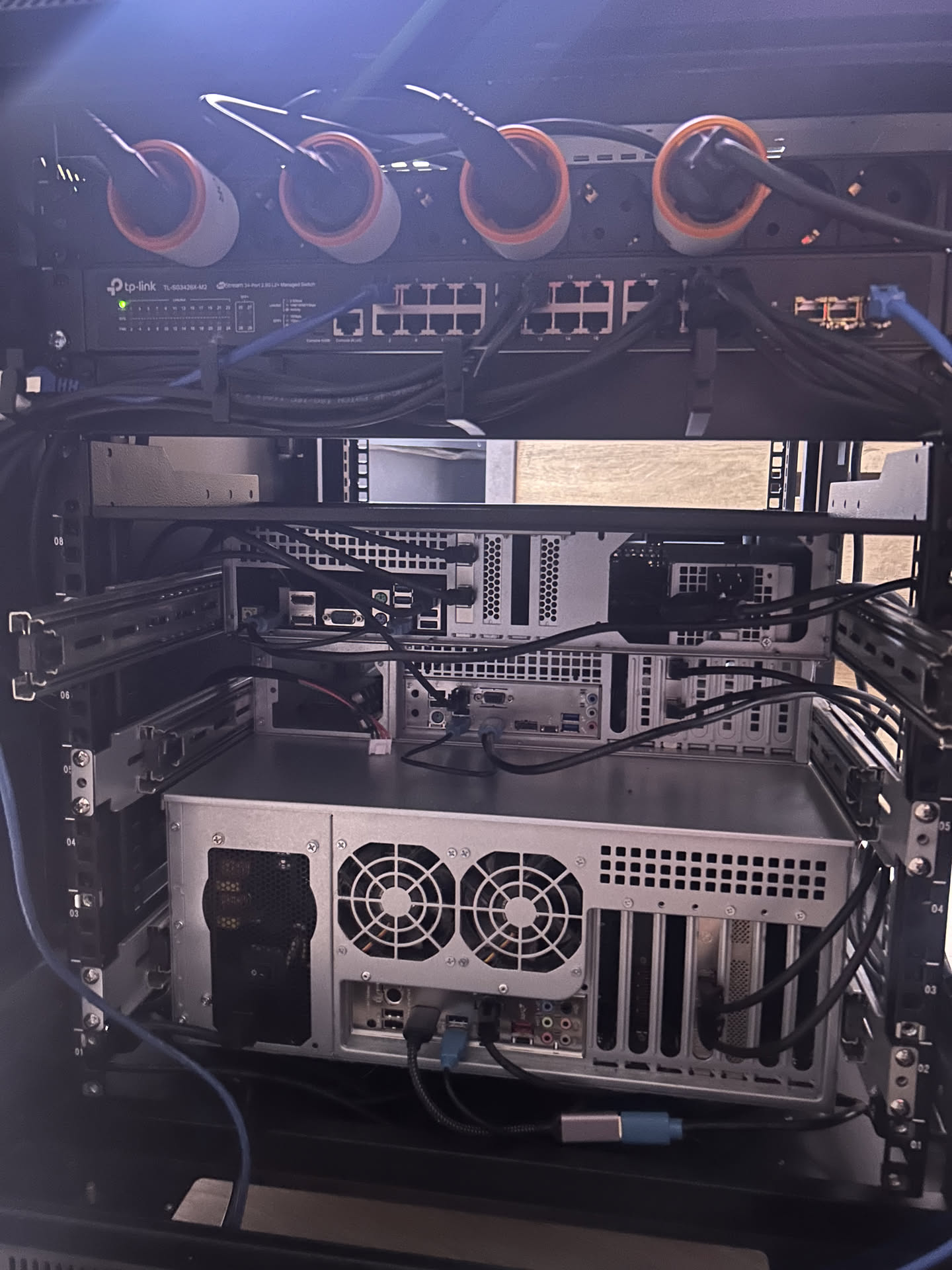
In the cabinet
- MikroTik CRS305-1G-4S+IN, 4 SFP+ ports
A tiny 10 Gbit switch in the network cabinet. Four SFP+ ports is exactly enough to link the cabinet to the rack at 10 Gbit and still have room to spare. MikroTik gear is cheap for what it does, as long as you don’t mind the interface.
WiFi
Three Ubiquiti U7 Lite access points, one per floor. They’re Wi-Fi 7, powered over PoE from the switch above, and they hand devices over between floors without dropping the connection. One per floor turned out to be the right number. Two wasn’t enough, four was money for nothing. I have Wi-Fi from the moment I pull into the parking lot. That’s the goal, right?
What I would tell my past self
- Split by blast radius, not by size. The firewall and the home automation get their own hardware, not because they need power, but because they must not go down.
- Backups on a separate box. The storage node exists for this reason alone. Everything else it does is a bonus.
- Mirror the OS disk on the node you care about. RAID 1 on the datacenter node has already paid for itself.
- Buy managed switches. VLANs are the difference between a homelab and a network your family has to live with.
What’s next
The next post is about what runs on top of this: a Kubernetes cluster on Talos Linux, and the Terraform and Ansible that build the VMs and keep them in shape. If you want to know how I reach all of this from outside the house, that’s The laptop is just a screen. The summary tables live on the Homelab page.